
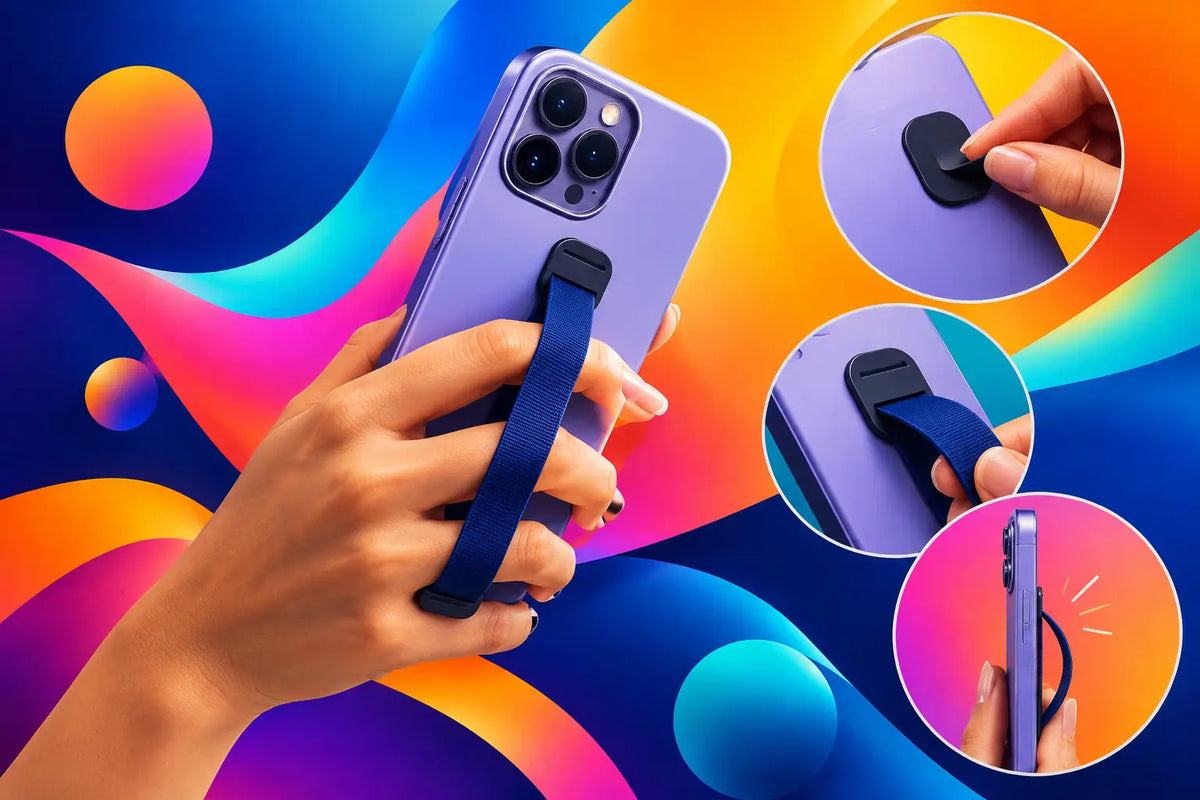
Your phone does not have to live at the bottom of a tote bag or balance awkwardly in your hand while you are taking photos, checking a map, or paying for coffee. When you apply phone case straps the right way, your device stays close, secure, and part of your look - not a plain utility accessory you have to hide.
A good strap setup gives you hands-free freedom without asking you to sacrifice your favorite case design. The key is choosing the right attachment style, checking your case before you pull on anything, and adjusting the strap for how you actually move through the day.
Why Phone Case Straps Earn Their Place
A phone strap is a small upgrade with a very real payoff. It makes quick errands easier, gives your phone a safer spot at a concert, and helps reduce the classic one-handed fumble when you are carrying a drink, keys, or a dozen other things.
Style matters too. A phone case can be graphic, glossy, playful, minimal, or seriously bold. The strap should work with that energy. A chunky wrist strap can make a bright case feel even more expressive, while a slim crossbody strap creates a cleaner, street-style look. There is no single best option. It depends on whether you want quick grip support, full hands-free carrying, or a little of both.
There is one trade-off worth being honest about: straps add movement and a small amount of visual weight. If you love an ultra-minimal setup, a thin wrist strap may suit you better than a wide lanyard. If your priority is security while traveling or going out, the extra presence of a crossbody strap is usually worth it.
Before You Apply Phone Case Straps, Check Your Case
Not every case accepts every attachment. Taking a minute to check compatibility prevents a strap from twisting, slipping, or putting pressure on the wrong part of the case.
Look first for built-in attachment points. These are small loops, holes, or reinforced tabs near the lower corners or sides of the case. They are designed to hold a strap clasp or cord, making installation straightforward. Cases with two attachment points are especially useful for crossbody straps because they distribute weight more evenly.
If your case has no attachment points, use a universal strap adapter. This is usually a thin insert with a fabric or reinforced tab that sits inside the case and extends through the charging-port opening. The tab becomes the place where you clip on a lanyard or strap. It is a smart option when you want to keep using a case you already love.
Avoid attaching a strap to the camera cutout, speaker holes, button covers, or a loose decorative piece. Those parts were not made to carry the weight of a phone. A strap should connect to a purpose-built anchor, not a workaround that could fail when you least expect it.
Consider Case Fit and Material
A flexible case with a snug fit is often ideal for a universal adapter because it can hold the insert firmly against the phone. A hard-shell case can work too, as long as it fits tightly and does not leave room for the insert to shift around.
Very thin cases deserve extra attention. They can look sleek, but a case with little structure may flex more under tension. If you carry a larger phone, use a reinforced case and a quality adapter or built-in strap connection. Bigger devices put more weight on every component.
MagSafe users should also think about placement. A properly installed strap adapter sits at the bottom of the case, so it generally does not block the magnetic ring. Still, check that the adapter lies flat and that your charger or wallet accessory connects securely before heading out.
How to Apply a Phone Case Strap Step by Step
Start with a clean case and a clean phone. Dust and grit trapped inside a case can cause scratches over time, and they can also keep an adapter from sitting flat.
If you are using a case with built-in strap holes, thread the cord loop through the opening, pull the strap through its own loop, and tighten it until it sits snugly. For straps with metal clasps, simply clip each clasp onto the attachment points. Make sure the clasps are fully closed, not just resting against the loop.
For a universal adapter, remove your phone from its case. Place the adapter inside the lower part of the case with its tab lined up with the charging-port opening. The tab should point down and sit centered, not folded or angled. Reinstall your phone, pressing around the edges until the case is fully seated.
Then connect your strap clasp to the adapter tab. Give the strap a gentle but firm pull before wearing it. You are not trying to yank it apart. You are checking that the case stays snug, the tab remains in place, and the clasp does not open under light tension.
A quick charging test is the final move. Plug in your cable and confirm that the adapter tab does not block the connector. Most universal adapters are made to leave the port accessible, but cable shapes vary. A bulky plug may fit differently than a slim one.
Adjust the Strap for Your Actual Day
A strap that is too loose can swing into tables, doors, and other people. One that is too tight can feel restrictive and put constant tension on the attachment point. The sweet spot depends on your style of strap.
For a wrist strap, leave enough room to slip your hand through comfortably, but not so much that the phone can slide off your wrist. It should act as a backup when you are holding your phone, not hang like a loose bracelet.
For a crossbody strap, position the phone around hip level or slightly above it. That placement makes it easy to grab without letting the phone knock against your leg all day. If you are wearing a coat, hoodie, or oversized layers, adjust the length again. What fits over a T-shirt may feel too short over heavier clothes.
If you use your phone for photos often, test the motion before you leave home. You want enough slack to bring the phone up naturally without the strap tugging at your shoulder or catching in your hair. A strap should support your routine, not make every text feel like a mini workout.
Keep the Look Intentional
The best phone accessories have a point of view. Pair a clear case with a colorful strap when you want the hardware and color to stand out. Match a black case with a metallic clasp for a more polished look. Or go fully expressive with a printed case and a contrasting strap color that feels deliberately loud.
Texture can change the mood too. Braided cords feel casual and sporty, while smooth straps with metal hardware look more elevated. If your case already has a statement design, a solid-color strap gives it room to shine. If your case is simple, the strap can be the detail that makes it feel personal.
CASETEROID cases are made for people who want their protection to show some personality, so a strap should feel like part of the outfit, not an afterthought. Choose one that complements the colors, finish, and energy of your case.
Safety Checks That Take 30 Seconds
Straps are reliable when the attachment is reliable. Check the clasp, cord, and adapter tab regularly, especially after a busy weekend, travel, or a drop. Fraying cords, bent clasps, cracked tabs, and a case that no longer fits tightly are signs to replace something before it becomes a problem.
Do not swing your phone by the strap or use it as a way to secure your device during sports, climbing, or high-speed activities. A phone strap is built for everyday carrying, not extreme force. Also keep the strap clear of bike wheels, escalators, pets, and anything that could snag it.
When you set your phone down to charge, make sure the strap is not pulling from the edge of a desk or caught under another object. Small habits like this help your case, cable, and strap last longer.
A phone strap should make your day feel lighter: fewer pocket checks, fewer near-drops, and more room to move. Pick an attachment you trust, adjust it to your life, and let your phone case do what it should do - protect your tech while looking completely like you.
Do AirPods Cases Affect Charging? The Real Answer
Phone Lanyard Versus Wrist Strap Compared